I combine digital marketing, SEO, WordPress, creative design and data analytics to build useful digital products and measurable growth systems.
02 — SELECTED WORK
Projects & Case Studies
02
Project & Case Study
Enterprise RAG AI Assistant
Click to view project ↗
Project & Case Study
Enterprise RAG AI Assistant
About This Project
AI Engineering Project
Enterprise
RAG AI
Assistant
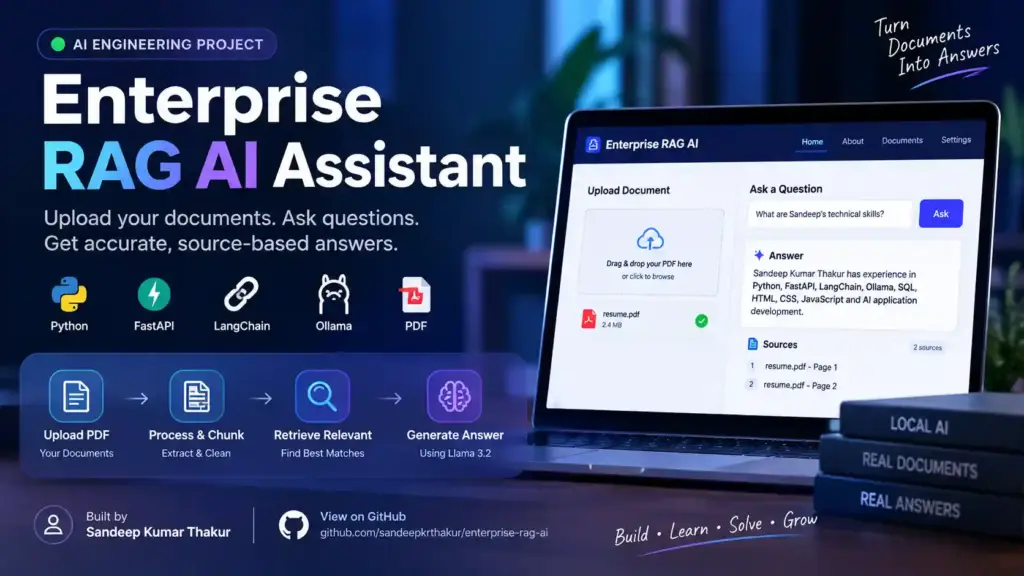
A document intelligence system that lets users upload
PDFs, retrieve relevant knowledge and ask questions
using Retrieval-Augmented Generation powered by
Python, FastAPI, LangChain and Ollama.
Traditional chatbots can answer general questions,
but they do not automatically understand a company’s
private documents. This project demonstrates how I
built a document-grounded AI assistant that answers
questions using uploaded knowledge.
🎯 The Problem
Organizations often store valuable information inside
PDFs, reports, resumes, policies and internal documents.
Finding a specific piece of information manually can
be slow and inefficient.
✓Users need to search large documents quickly.
✓General AI models may not know private information.
✓Answers should be grounded in document content.
✓Users should be able to see the source pages.
💡 The Solution
I created an end-to-end RAG pipeline where documents
are extracted, cleaned, divided into chunks, searched
for relevant content and supplied to a local LLM as
context before generating the final answer.
PDF → Text → Chunks → Retrieval → LLM → Answer
Project Capabilities
What the final system can do.
The completed application combines document processing,
retrieval and local AI into a simple web interface.
📄
PDF Knowledge Upload
Upload PDF documents and automatically process their
text into searchable knowledge chunks.
🔎
Relevant Retrieval
Search the uploaded knowledge base and identify the
most relevant document sections for a question.
🧠
AI Answer Generation
Use a local Llama model through Ollama to generate
answers grounded in retrieved document context.
📚
Source References
Return the source filename and page information used
to construct the answer.
⚡
FastAPI Backend
Expose document upload, search and question-answering
functionality through API endpoints.
🔐
Local AI Processing
The application can use Ollama locally, reducing
dependency on external hosted model APIs.
Development Process
How I built the system.
I built the application step-by-step, starting with
document ingestion and gradually connecting retrieval,
AI generation and the user interface.
01
Project Setup
Created the Python project structure, virtual environment,
dependencies and FastAPI application.
02
PDF Processing
Used pypdf to extract text from uploaded PDF files and
cleaned the extracted content before processing.
03
Document Chunking
Large documents were divided into smaller overlapping
chunks so that relevant sections could be retrieved
efficiently.
04
Retrieval Layer
Implemented relevance-based document search to identify
the most useful chunks for the user’s question.
05
Local LLM Integration
Connected LangChain with Ollama and the Llama 3.2 model
to generate responses from retrieved document context.
06
Source-Aware Answers
Added source metadata including document filename and
page number so users can understand where the answer
came from.
07
Frontend Interface
Built a responsive web interface for uploading PDFs,
asking questions and displaying answers and sources.
System Architecture
Inside the Enterprise RAG pipeline.
The application separates document ingestion, retrieval,
AI generation and presentation into clear stages.
👤 UserUploads PDF
→
⚡ FastAPIBackend API
→
📄 PDF Parserpypdf
→
✂️ ChunkingText Splitting
→
🔎 RetrievalRelevant Chunks
→
🦙 OllamaLlama 3.2
→
💬 AnswerSources Included
RAG Pipeline
How a question becomes an answer.
01
User Question
“What technical skills does Sandeep have?”
02
Search
Find relevant document chunks
03
Context
Build grounded prompt
04
Llama 3.2
Generate response locally
05
Response
Answer + document sources
Implementation
The engineering behind it.
The core implementation focuses on clean document
processing, retrieval and controlled LLM prompting.
PDF text extraction can produce inconsistent spacing
and formatting. I added a cleaning layer before
chunking the document.
Challenge 02
Context Retrieval
The model should not receive the entire document.
I implemented chunking and relevance-based retrieval
to provide focused context.
Challenge 03
Hallucination Control
The prompt explicitly instructs the model to answer
using document context and state when information
cannot be found.
Challenge 04
Source Traceability
Each document chunk carries filename and page metadata,
allowing the final API response to expose source pages.
Challenge 05
API Integration
The frontend communicates with FastAPI endpoints for
document upload, processing and question answering.
Challenge 06
Local AI Runtime
Ollama provides a local model runtime, allowing the
application to demonstrate private document processing
without relying entirely on a hosted LLM API.
Outcome
What this project demonstrates.
End-to-End
AI application development
RAG
Document-grounded generation
Local AI
Ollama + Llama 3.2
Learning
What I learned from building it.
🧠 AI Engineering
This project helped me understand how an LLM application
works beyond simply calling an AI API. I worked with
document ingestion, retrieval, context construction,
prompt design and source attribution.
⚙️ Backend Engineering
I gained practical experience connecting a Python
processing layer, FastAPI endpoints, local LLM inference
and a responsive frontend into one working application.
Try the Enterprise RAG AI Assistant
Upload a document and ask questions against your own
knowledge base using the RAG pipeline I built.
Project Description Maths, Reasoning & English Question Management Automation
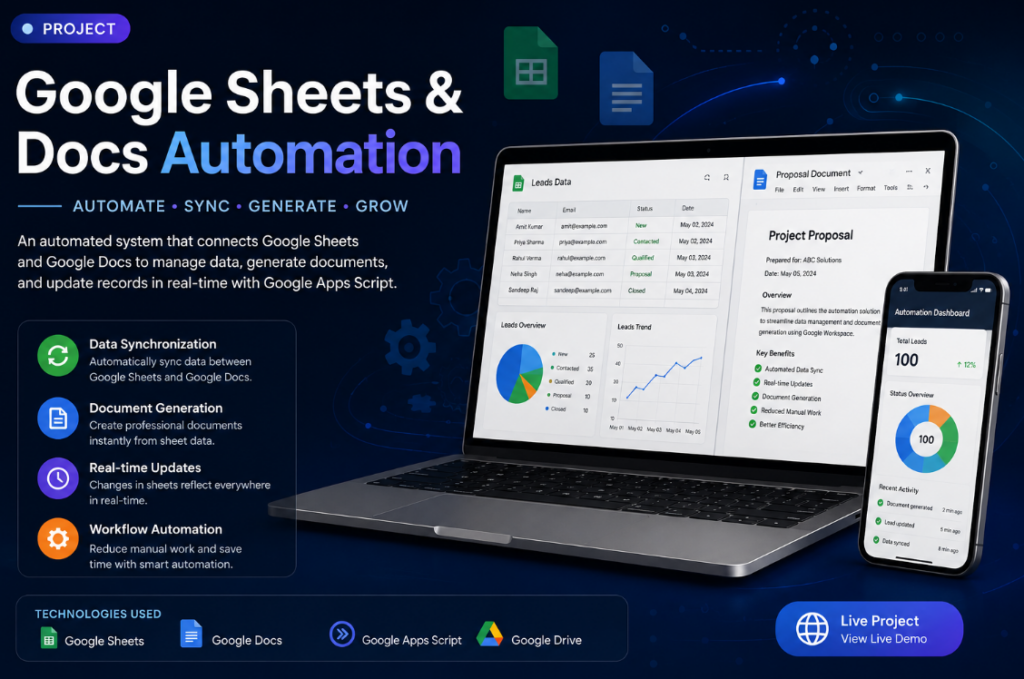
I developed an automated question-management system using Google Apps Script, Google Docs, and Google Sheets. The system is designed to manage questions for Maths, Reasoning, and English in separate subject-wise documents and spreadsheet tabs.
Questions added to the respective Google Docs are automatically identified using their question IDs, such as M001/M002 for Maths, R001/R002 for Reasoning, and E001/E002 for English, and synchronized with the appropriate Google Sheet.
The system automatically extracts the question information, adds new questions to the correct subject sheet, maintains question IDs and descriptions, and creates an OPEN QUESTION link back to the original Google Doc.
What I Did
Created separate Maths, Reasoning, and English question management workflows.
Connected individual Google Docs with their corresponding Google Sheets.
Developed Google Apps Script to automate the synchronization.
Created logic to identify question IDs such as M003, M004, M005, etc.
Automatically detected newly added questions.
Automatically added new questions to the correct subject sheet.
Prevented duplicate questions from being added.
Extracted the question description from the Google Docs.
Added OPEN QUESTION links back to the original document.
Added default question status such as Draft.
Created subject-wise organization so Maths questions go to Maths, Reasoning to Reasoning, and English to English.
Updated the script to recognize different question formats such as M005., M005 -, and M005).
Technologies Used
Google Apps Script · Google Docs · Google Sheets · Google Workspace · JavaScript
My Role Automation Developer
Tools & Technologies Google Apps Script, Google Sheets, Google Docs
Key Features
Automatic data synchronization
Document generation
Automated updates
Workflow automation
🎥 Project Video
Video URL https://www.youtube.com/watch?v=...
Project & Case Study
Daikibo Industrial Data Analytics & Forensic Analysis
Click to view project ↗
Project & Case Study
Daikibo Industrial Data Analytics & Forensic Analysis
About This Project
Deloitte Data Analytics Job Simulation | Tableau | Excel | Data Visualization
Project Overview
This project was completed as part of the Deloitte Data Analytics Job Simulation. The project involved analyzing real-world-style business datasets provided by Daikibo Industries to identify operational issues and investigate gender pay equality.
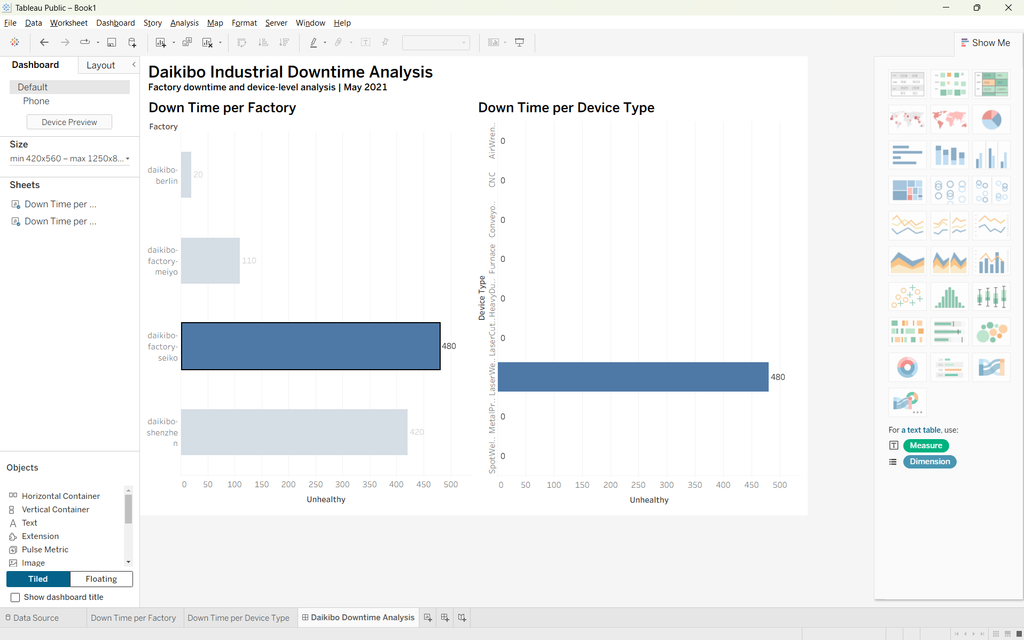
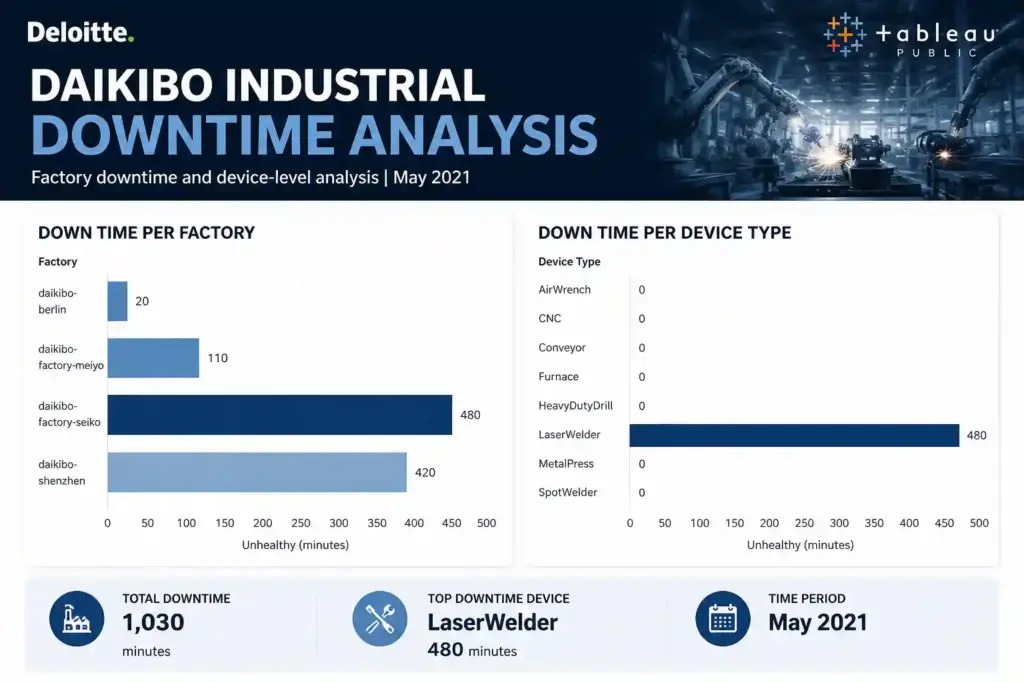
Using Tableau and Excel, I analyzed industrial telemetry data to identify which factory experienced the highest machine downtime and which machine types contributed most to the downtime.
I also analyzed employee compensation data and classified gender pay equality scores into different levels to help identify potential pay disparities.
The project demonstrates practical skills in data analysis, data visualization, calculated fields, dashboard creation, business insights, and forensic analysis.
📊 Daikibo Industrial Data Analytics
Deloitte Data Analytics Job Simulation
An end-to-end data analytics project analyzing industrial telemetry and employee compensation data. I used Tableau to investigate factory downtime and machine failures, and Excel to classify gender pay equality scores.
🔧 Task 1 — Factory Downtime Analysis
Business Question
Which Daikibo factory experienced the most machine downtime?
Approach
I analyzed telemetry data collected from four Daikibo factories:
Daikibo Factory Seiko — Osaka
Daikibo Factory Meiyo — Tokyo
Daikibo Factory Berlin — Berlin
Daikibo Factory Shenzhen — Shenzhen
Each machine generated telemetry messages at regular intervals.
To estimate potential downtime, I created a Tableau calculated field called Unhealthy.
Calculated Field
IF [Status] = "unhealthy" THEN 10 ELSE 0 END
Each unhealthy telemetry message represents 10 minutes of potential downtime.
Visualization
Created an interactive Tableau bar chart:
Down Time per Factory
Key Finding
Daikibo Factory Seiko recorded the highest potential downtime at 480 minutes.
🔧 Task 2 — Machine Failure Analysis
After identifying the factory with the highest downtime, I filtered the analysis to Daikibo Factory Seiko.
I then analyzed downtime by machine/device type using the Tableau visualization:
Down Time per Device Type
Key Finding
LaserWelder was responsible for the highest potential downtime, with 480 minutes.
This helped identify the machine type that should receive priority for further investigation and maintenance.
⚖️ Task 3 — Gender Pay Equality Analysis
The second part of the project focused on analyzing Equality Scores across different factories and job roles.
The Equality Score ranges from -100 to +100, where 0 represents ideal equality.
I created an Equality Class to categorize the scores.
Equality Score
Equality Class
-10 to +10
Fair
-20 to -11 or +11 to +20
Unfair
Below -20 or above +20
Highly Discriminative
Purpose
This classification makes it easier to identify job roles and locations with significant compensation disparities and areas that may require further investigation.
🛠️ Skills & Technologies
Technical Skills
Tableau Public
Microsoft Excel
Data Analysis
Data Visualization
Calculated Fields
Interactive Dashboards
Data Filtering
Business Intelligence
Exploratory Data Analysis
Forensic Data Analysis
⭐ Portfolio Project Card
Daikibo Industrial Data Analytics
Analyzed industrial telemetry and employee compensation data as part of the Deloitte Data Analytics Job Simulation. Built interactive Tableau dashboards to identify factory downtime and machine-level failures, and used Excel to classify gender pay equality scores.
Tools: Tableau Public · Excel · Data Analysis · Data Visualization · Dashboard Development
Key Results
480 min — Highest factory downtime LaserWelder — Highest downtime device 4 factories — Analyzed Gender pay equality — Classified across roles and locations
03 — EXPERTISE
Skills & Tools
S
Skills
View skill details ↗
Skill & Tool
Skills
Digital Marketing & Performance Marketing
SEO & Search Engine Optimization
Content Writing & Content Strategy
WordPress Development & Website Management
Elementor
Social Media Marketing
Keyword Research & On-Page SEO
Google Sheets & Docs Automation
Workflow & Process Automation
Data Analytics & Data Visualization
Power BI Dashboard Development
Lead Generation & Business Development
Client Relationship Management
Graphic Design Video Editing & Animation
Educational Content Creation
Digital Product Marketing
AI-Powered Content & Automation
T
Tools
View skill details ↗
Skill & Tool
Tools
Marketing & SEO
Google Analytics
Google Search Console
Google Ads
SEO & Keyword Research Tools
Automation & Productivity
Google Apps Script
Google Sheets
Google Docs
Google Workspace
Microsoft Excel
Data & Analytics
Microsoft Power BI
Excel
Data Visualization Tools
Web Development
WordPress
Elementor
HTML
CSS
Design & Creative
Adobe Photoshop
Adobe Illustrator
Procreate
Adobe Animate CC
Video Editing Tools
04 — TOOLS
Tools
04
Access all my useful online tools and calculators in one place.
Managed SEO strategies, keyword research, on-page optimization, content optimization, link building, and website performance to improve organic rankings, traffic, and online visibility.
Content Writer — BiharHelp.in | 2017–2023
Content Writer — BiharHelp.in | 2017–2023
Created SEO-friendly articles, educational content, and informative web content; conducted topic research, optimized content for search engines, and maintained quality, accuracy, readability, and audience engagement.
05 — CREDENTIALS
Certifications
View certificate ↗
Certification
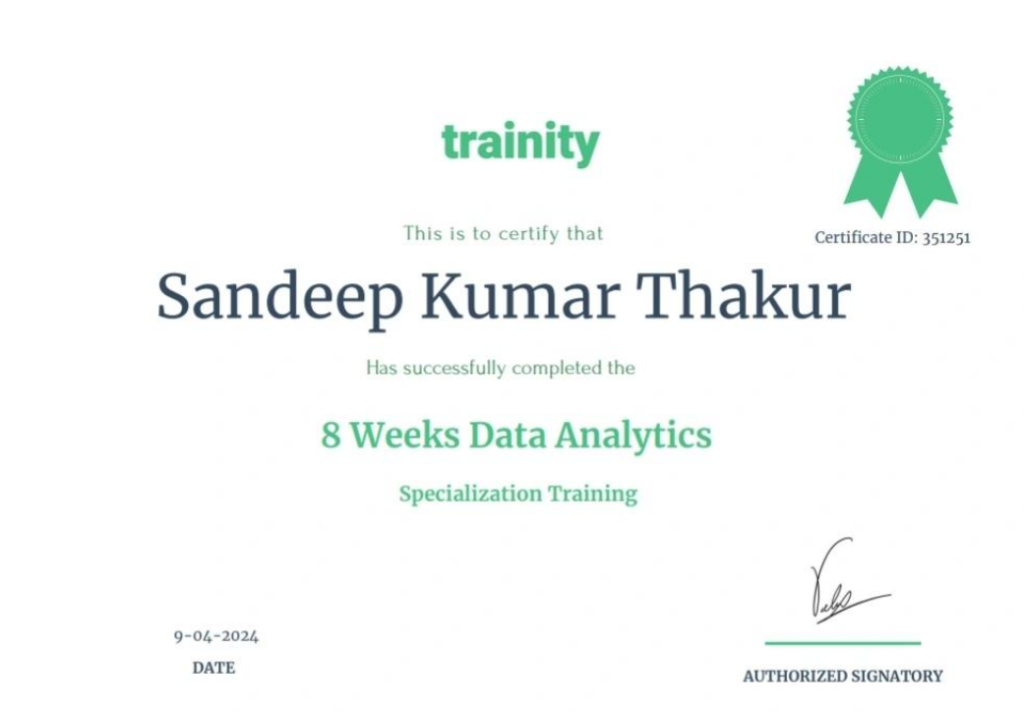
Data Analytics Training Certificate
Click to view certificate
Certification
Data Analytics Training Certificate
About this Certificate
View certificate ↗
Certification
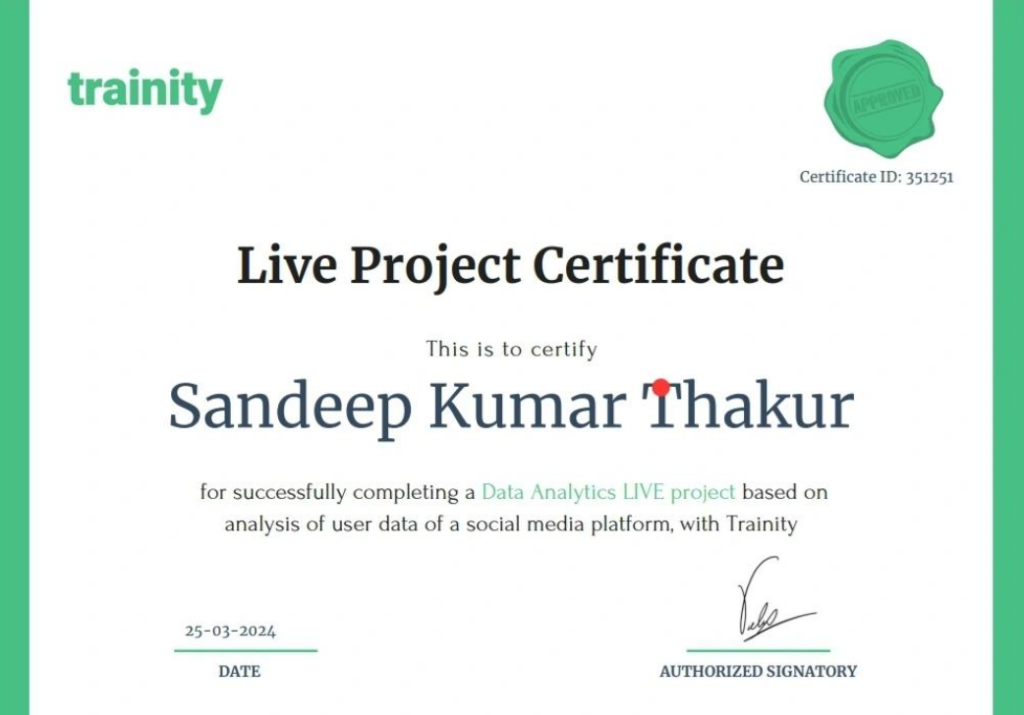
Data Analytics Live Project
Click to view certificate
Certification
Data Analytics Live Project
About this Certificate
View certificate ↗
Certification
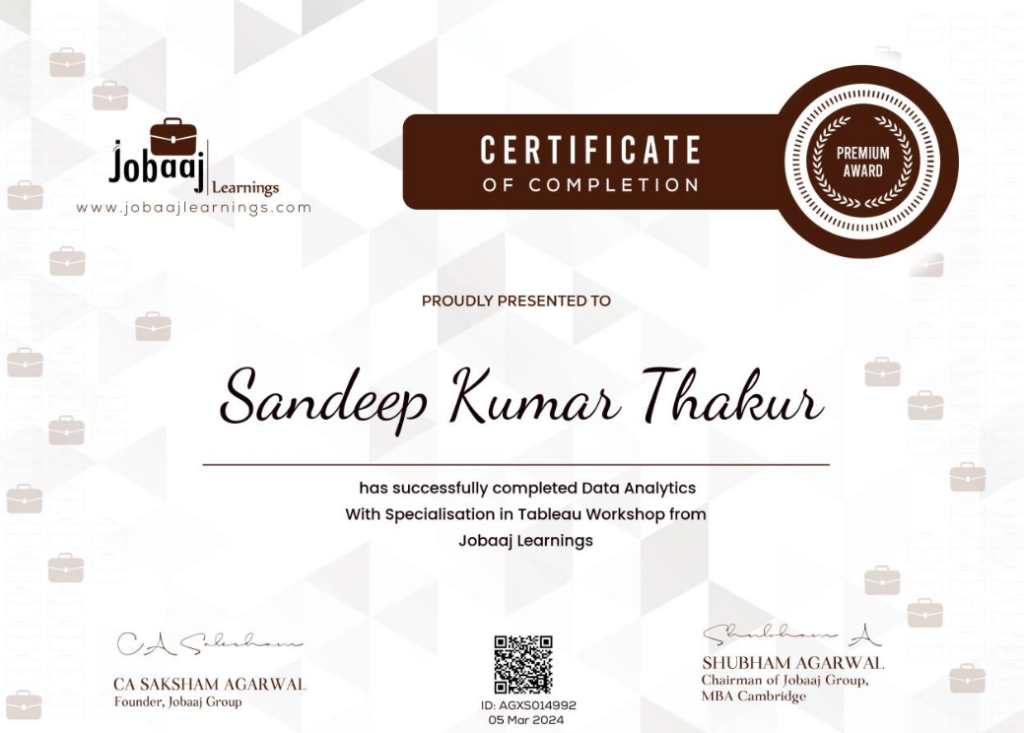
Data Analytics Specialisation in Tableau
Click to view certificate
Certification
Data Analytics Specialisation in Tableau
About this Certificate
View certificate ↗
Certification
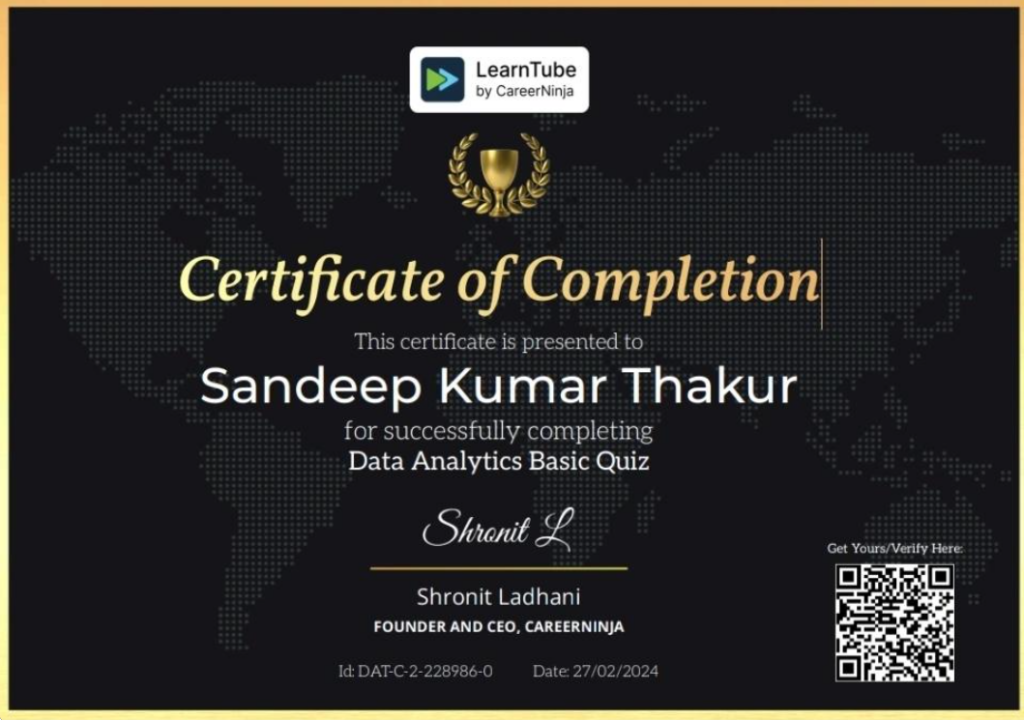
Data Analytics Basic Quiz Certificate
Click to view certificate
Certification
Data Analytics Basic Quiz Certificate
About this Certificate
View certificate ↗
Certification
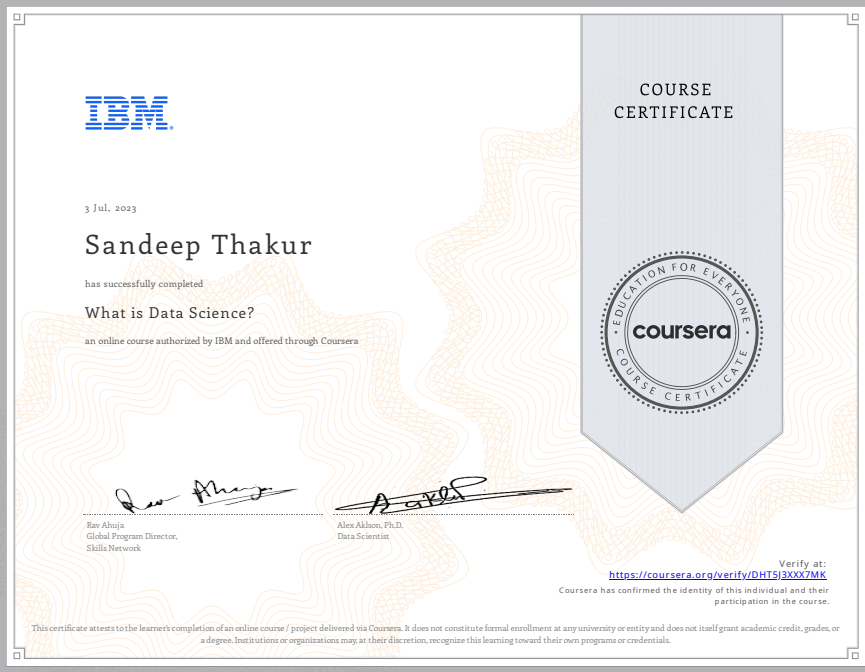
What is Data Science Course Certificate
Click to view certificate
Certification
What is Data Science Course Certificate
About this Certificate
View certificate ↗
Certification
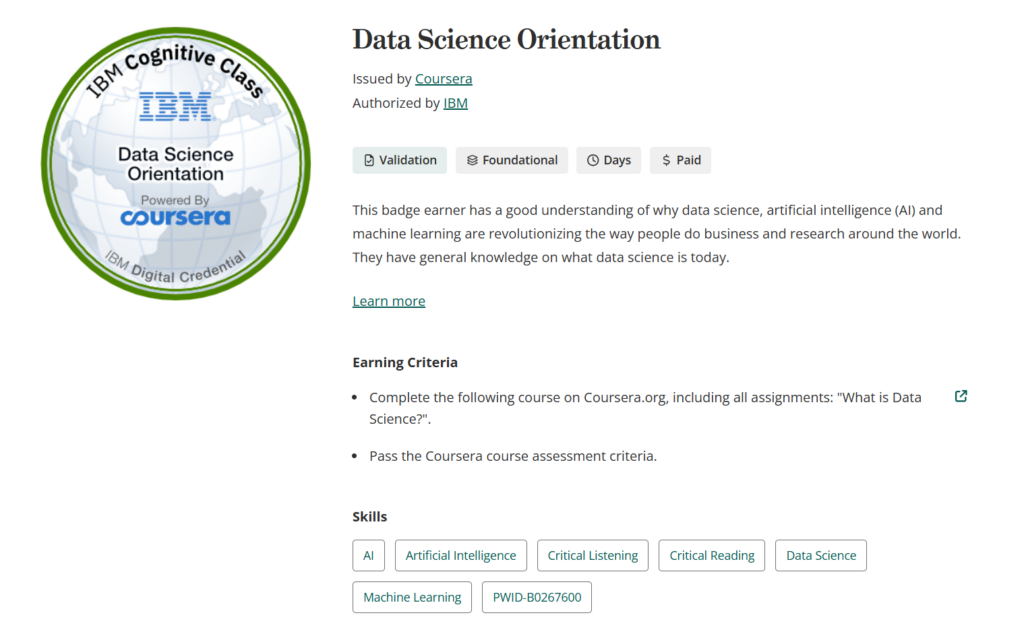
Data Science Orientation
Click to view certificate
Certification
Data Science Orientation
About this Certificate
View certificate ↗
Certification
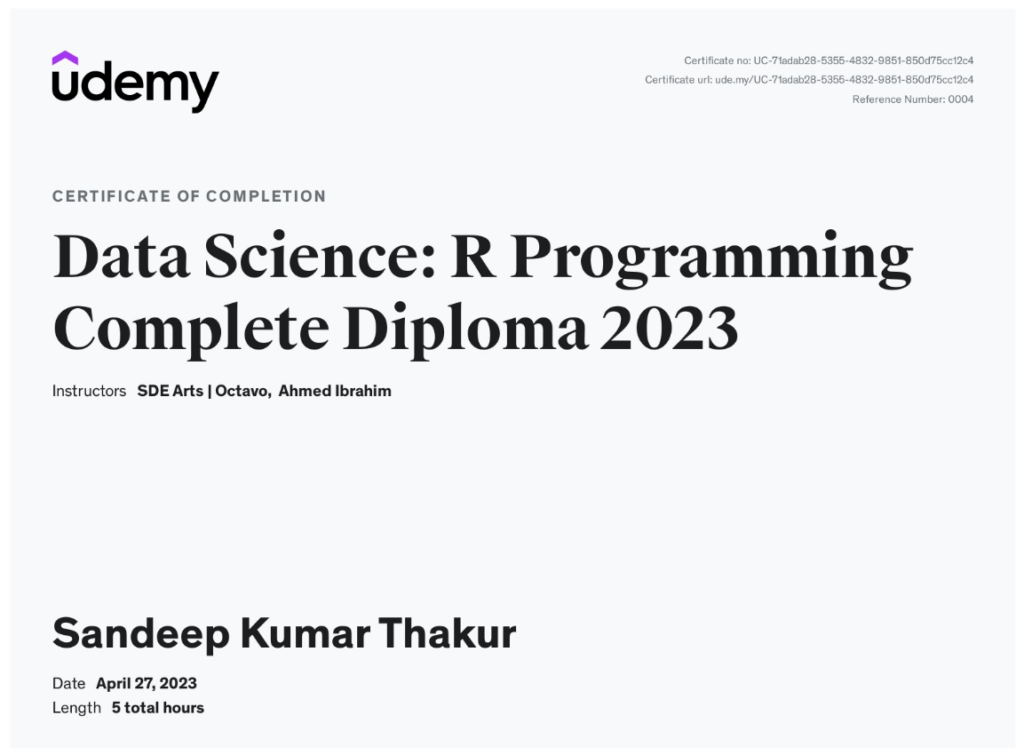
Data Science: R Programming Complete Diploma
Click to view certificate
Certification
Data Science: R Programming Complete Diploma
About this Certificate
This certificate above verifies that Sandeep Kumar Thakur successfully completed the course Data Science: R Programming Complete Diploma on 04/27/2023 as taught by SDE Arts, Ahmed El Mohandes on Udemy. The certificate indicates the entire course was completed as validated by the student. The course length represents the total hours of the videos and article lectures of the course at the time of most recent completion.
View certificate ↗
Certification
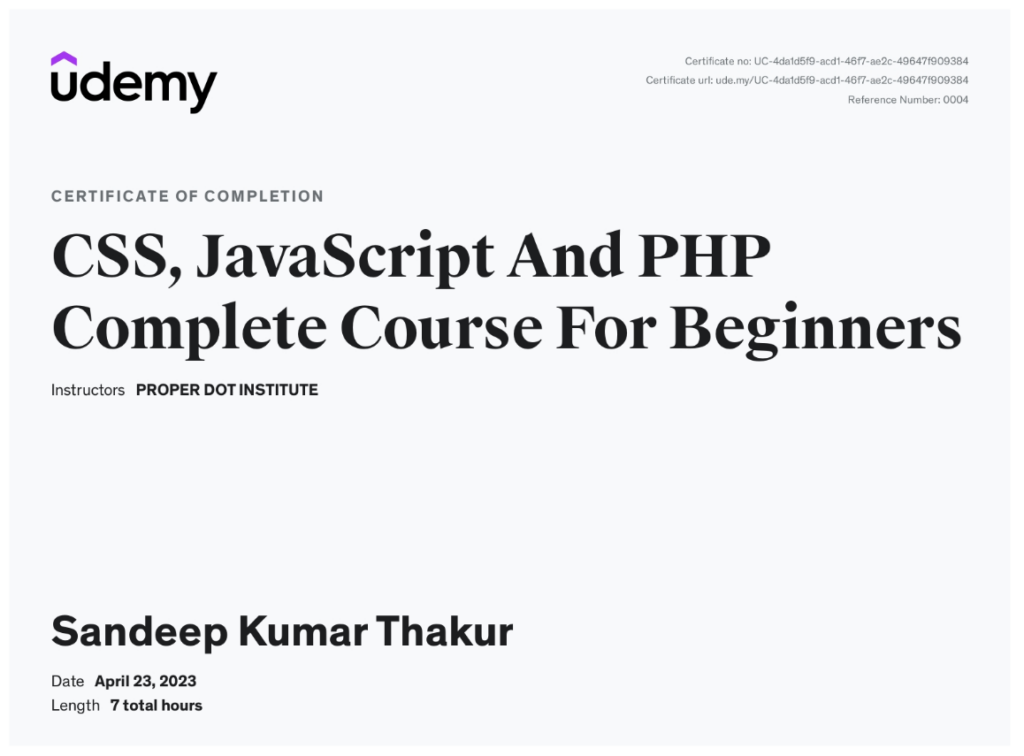
CSS, JavaScript And PHP Complete Course For Beginners
Click to view certificate
Certification
CSS, JavaScript And PHP Complete Course For Beginners
About this Certificate
View certificate ↗
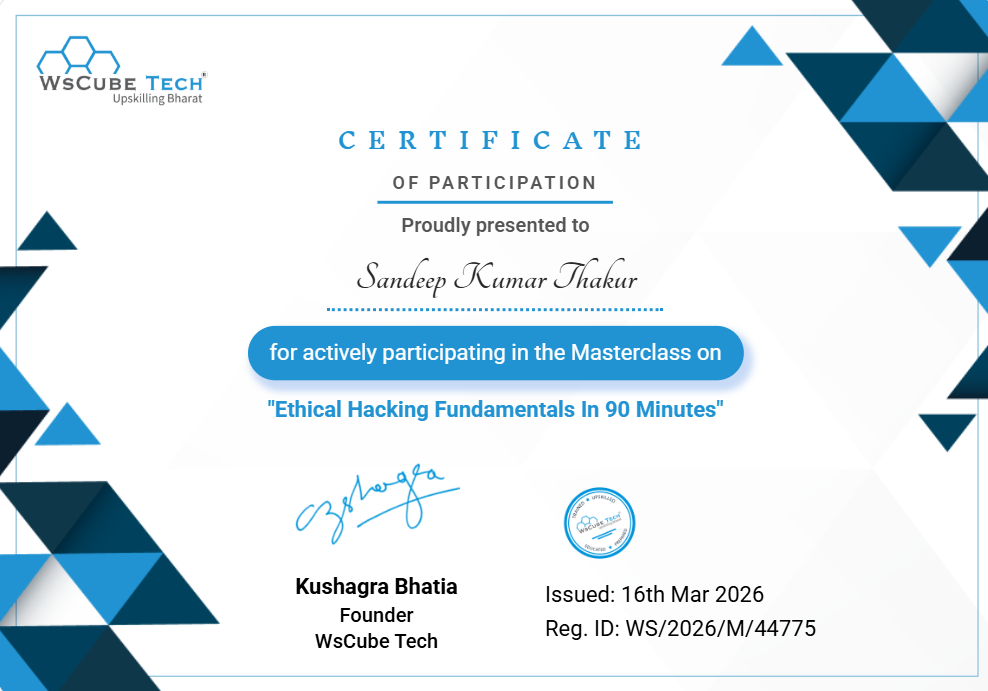
Certification
Ethical Hacking Fundamentals in 90 Minutes
Click to view certificate
Certification
Ethical Hacking Fundamentals in 90 Minutes
About this Certificate
06 — CONTACT
Let’s build something great.
Have a project, opportunity or collaboration in mind? Let’s talk.

 View certificate ↗
 View certificate ↗
 View certificate ↗
 View certificate ↗
 View certificate ↗
 View certificate ↗
 View certificate ↗
 View certificate ↗
 View certificate ↗